English | įŽ€äŊ“中文
# Foxel **A highly extensible private cloud storage solution for individuals and teams, featuring AI-powered semantic search.** ![Python Version](https://img.shields.io/badge/Python-3.14+-blue.svg) ![React](https://img.shields.io/badge/React-19.0-blue.svg) ![License](https://img.shields.io/badge/license-MIT-green.svg) ![GitHub stars](https://img.shields.io/github/stars/DrizzleTime/foxel?style=social) ---
The ocean of data is boundless, let the eye of insight guide the voyage, yet its intricate connections lie deep, not fully discernible from the surface.
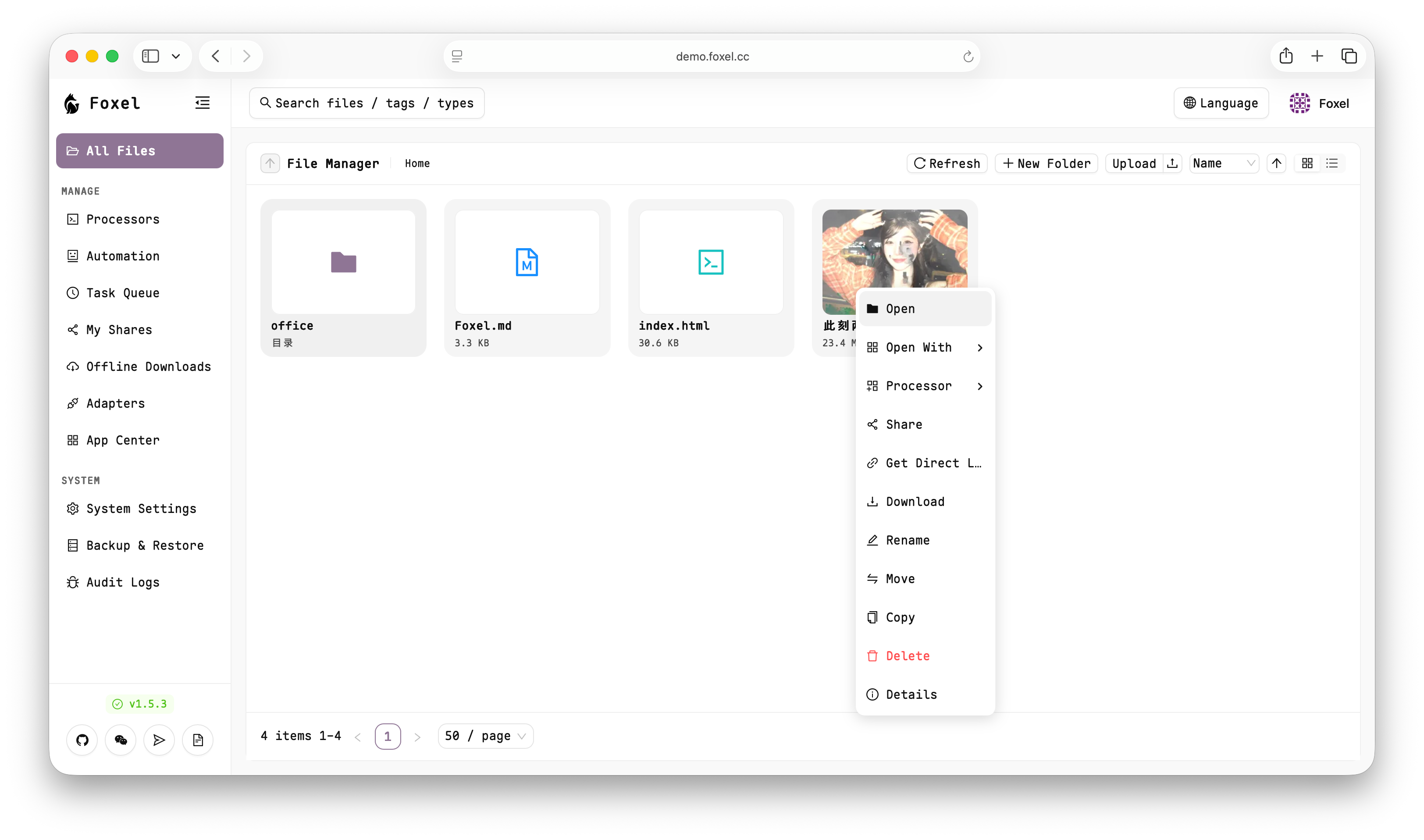
UI Screenshot
## 👀 Online Demo > [https://demo.foxel.cc](https://demo.foxel.cc) > > Account/Password: `admin` / `admin` ## ✨ Core Features - **Unified File Management**: Centralize management of files distributed across different storage backends. - **Pluggable Storage Backends**: Utilizes an extensible adapter pattern to easily integrate various storage types. - **Semantic Search**: Supports natural language search for content within unstructured data like images and documents. - **Built-in File Preview**: Preview images, videos, PDFs, Office documents, text, and code files directly without downloading. - **Permissions and Sharing**: Supports public or private sharing links for easy file distribution. - **Task Processing Center**: Supports asynchronous task processing, such as file indexing and data backups, without impacting the main application. ## 🚀 Quick Start Using Docker Compose is the most recommended way to start Foxel. 1. **Create Data Directories** Create a `data` folder for persistent data: ```bash mkdir -p data/db mkdir -p data/mount chmod 777 data/db data/mount ``` 2. **Download Docker Compose File** ```bash curl -L -O https://github.com/DrizzleTime/Foxel/raw/main/compose.yaml ``` After downloading, it is **strongly recommended** to modify the environment variables in the `compose.yaml` file to ensure security: - Modify `SECRET_KEY` and `TEMP_LINK_SECRET_KEY`: Replace the default keys with randomly generated strong keys. 3. **Start the Services** ```bash docker-compose up -d ``` 4. **Access the Application** Once the services are running, open the page in your browser. > On the first launch, please follow the setup guide to initialize the administrator account. ## 🤝 How to Contribute We welcome contributions from the community! Whether it's submitting bugs, suggesting new features, or contributing code directly. Before you start, please read our [`CONTRIBUTING.md`](CONTRIBUTING.md) file, which explains the development environment and submission process. A Simplified Chinese translation is available in [`CONTRIBUTING_zh.md`](CONTRIBUTING_zh.md). ## 🌐 Community Join our community on [Telegram](https://t.me/+thDsBfyqJxZkNTU1) to discuss with developers and other users! You can also join our WeChat group for more real-time communication and support. Please scan the QR code below to join: WeChat Group QR Code > If the QR code is invalid, please add WeChat ID **drizzle2001**, and we will invite you to the group.